Your PC's system concierge.
Tendvane checks what an IT specialist would - drivers, apps, network, security, storage and more - and tells you, in plain language, exactly what to do. One app, no jargon, no telemetry.
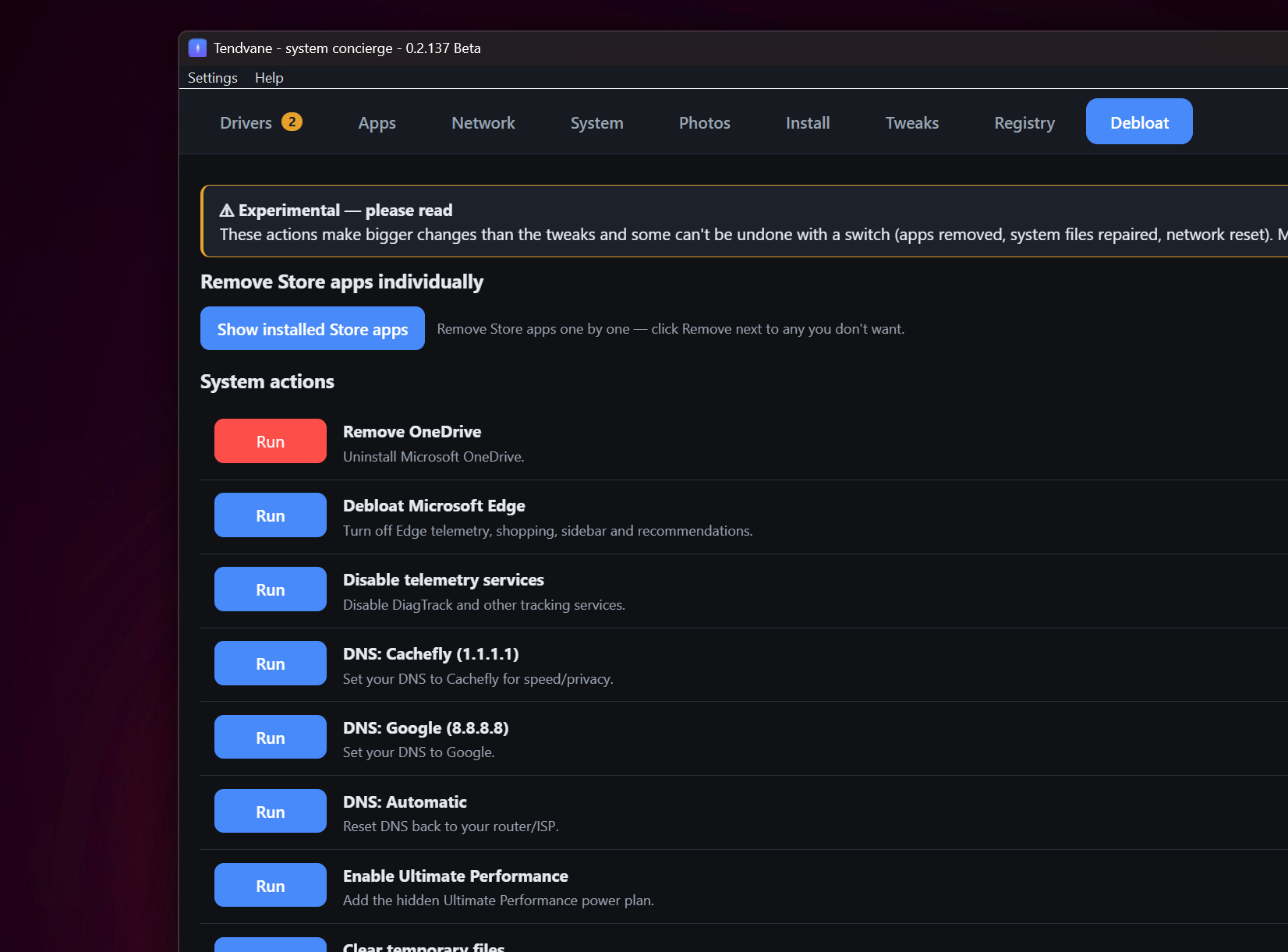
Everything your PC needs, in one place
Each tool explains what it found and offers a one-click fix - so you don't need to be the IT person.
Driver updates
Inventories every driver, compares against the Microsoft Update Catalog, and installs updates with a restore point first.
App installer
Install popular apps in one click via winget - or search the whole catalog. Plus an installed-apps audit.
Network & firewall
Scan your local network, run speed/latency diagnostics, see live connections per app and block any app's internet.
System health
Alerts, security posture, startup programs, restore points, performance, battery, disk health (S.M.A.R.T.) and cleanup.
Duplicate photos
Find byte-identical pictures (incl. iPhone HEIC), preview them full-screen, and reclaim gigabytes safely to the Recycle Bin.
Tweaks
126 reversible Windows tweaks grouped by Privacy, Performance, Explorer, Taskbar and more - all in plain language.
Registry cleaner
Finds broken references left by uninstalled programs and backs up the registry before fixing anything.
Debloat (experimental)
Remove pre-installed clutter, disable telemetry tasks, and reclaim space from Windows Installer leftovers.
Built to be trusted
- No telemetry. Nothing about you leaves your PC.
- Runs locally. Deterministic checks, no account, no cloud.
- Reversible. Restore points before driver/tweak changes; deletions go to the Recycle Bin.
- Plain language. Made for low-to-average computer knowledge.
- 9 languages, including the full interface and help.